
- How to enroll in FINSYNC and create an account
- Options available after creating a FINSYNC account
- What to expect after creating a FINSYNC account
To create a FINSYNC account, visit www.FINSYNC.com, click Start Now, set your password, and enter your business details. Once enrolled, you can explore the platform for free or subscribe to a paid plan to unlock additional features.
How to Enroll in FINSYNC and Create an Account
1. Go to www.FINSYNC.com.
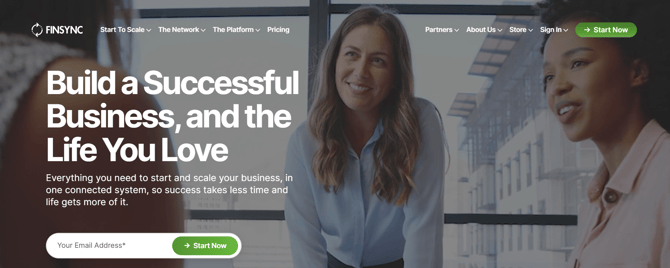
2. There are two options on the home page to enroll in FINSYNC and create an account:
-
Click Start Now in the upper-right corner of the page — this will take you to the pricing page with plan options.
-
In the middle of the home page, enter your email address in the field provided and click Start Now.
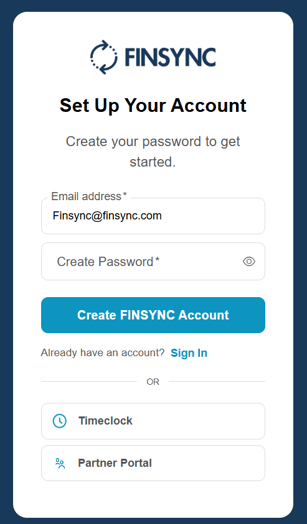
3. This will take you to the account setup page where you will create your password.
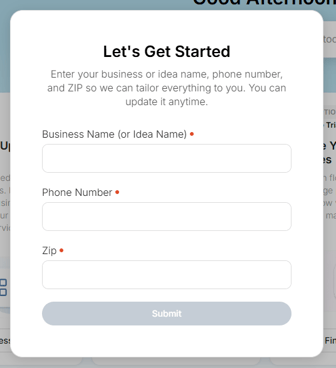
4. After creating your password and logging in for the first time, you will be prompted to enter your business details:
5. Once you enter your business goals, you will see the following screen:
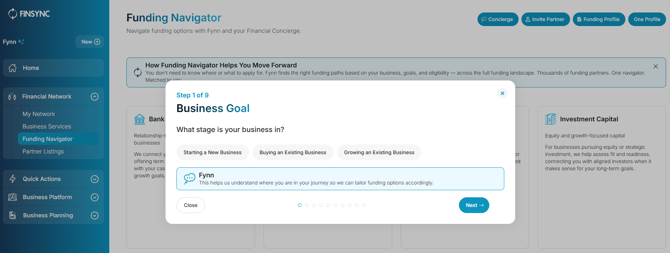
After setting your business goals, you will be taken to the FINSYNC dashboard where you can begin exploring the platform.
Options available after creating a FINSYNC account
Once you have created your FINSYNC account, you can take advantage of the following features and decide how to proceed. You will receive guidance and support from FINSYNC throughout your journey.
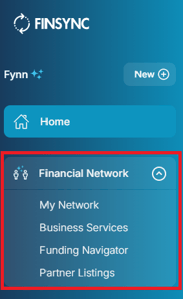
Explore the Financial Network
- Explore options within the Financial Network using FINSYNC's My Network, Business Services, Funding Navigator, and Partner Listings.
Subscribe to FINSYNC to leverage additional features
Subscribe to FINSYNC to access the following features for your business.
-
Business Planning Tools
- Explore the Business Canvas
- Explore the Business Plan
-
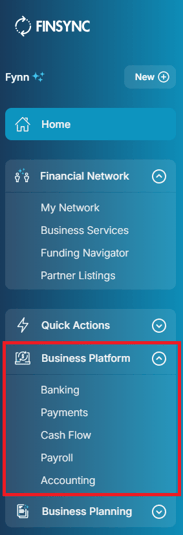
Business Platform
- Subscribe to FINSYNC to access the Business Platform and use the features your business needs.
Subscribing to FINSYNC
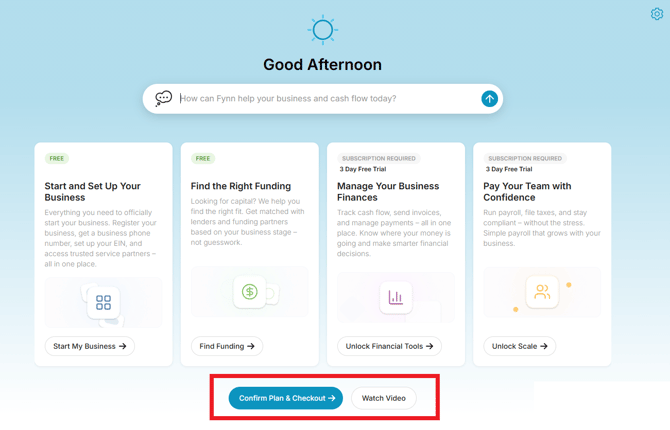
1. Click the option for Confirm Plan & Checkout at the bottom of the home page:
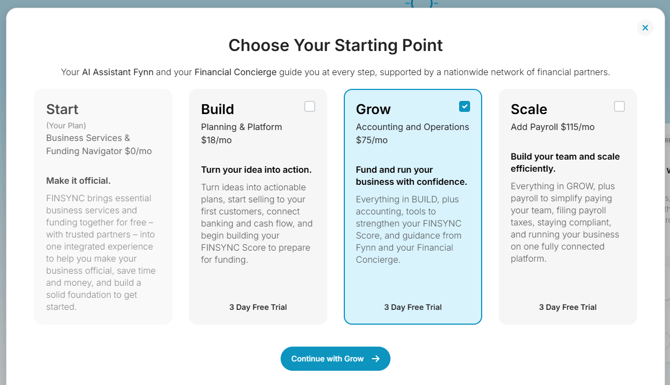
2. Choose your preferred plan by selecting the checkbox in the top-right corner, then click Select a Plan at the bottom to continue.
3. Once your plan is selected, enter your payment details (credit card or bank ACH). If you have a promo code, enter it here before completing checkout.
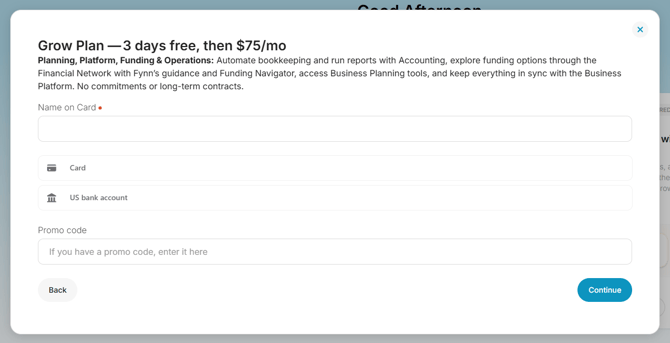
4. You are now subscribed to FINSYNC and can explore the additional features for your business.
What to expect after creating a FINSYNC account
After creating your FINSYNC account, you will receive the following support to help you get started:
- Emails that will provide guidance along the way.
- Fynn, our AI Assistant, will also provide in-app guidance as you explore FINSYNC.
Related Articles:
How to Add Your First Bank Account in FINSYNC
FINSYNC and Multifactor Authentication (MFA)
Contact FINSYNC for Questions and Support